













In This Article
This article contains:
- Tryten S5 Tablet Cart
- Trio Computing Workstation
- Tryten P1 Monitor Cart
- MedLink Medication Management Cart
- Tryten S1 Tablet Cart
- T7 Powered Mobile Technology Cart
- Frequently Asked Questions About Medical Carts
- Making the Right Choice for Your Clinical Workflow
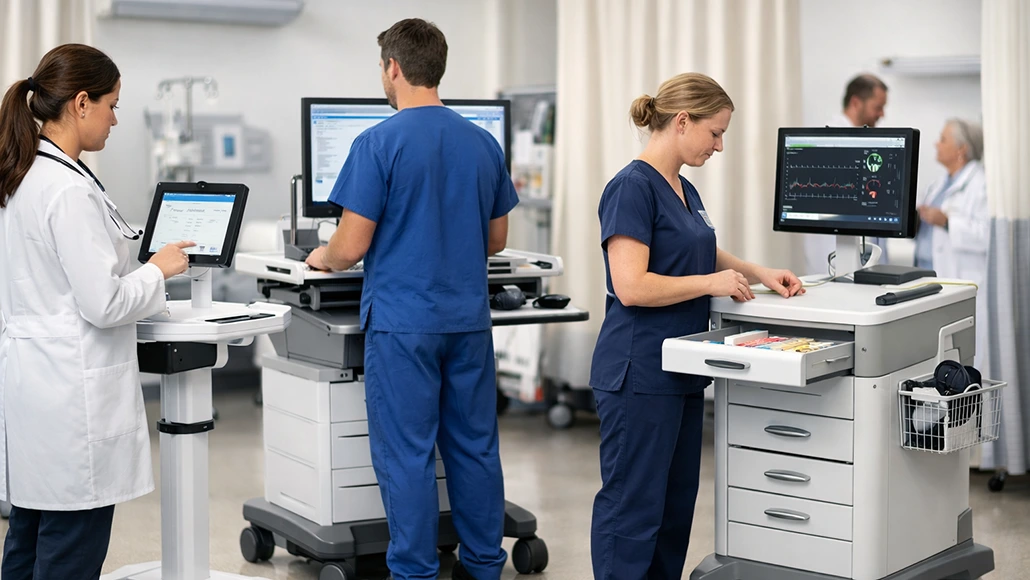
Clinicians face constant pressure from workflow inefficiencies that consume valuable time and from repetitive tasks that cause physical strain. Healthcare workers experience high rates of musculoskeletal disorders, with more than half of cases in nursing assistants involving back injuries. The following best medical carts on wheels address both problems by streamlining documentation, improving organization and reducing physical demands on staff.
1. Tryten S5 Tablet Cart
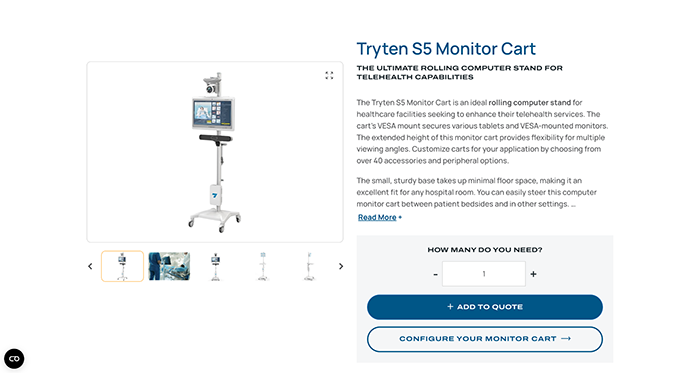 The Tryten S5 model offers enhanced features for facilities that require more robust tablet cart capabilities. This version includes additional device security options and stability features compared to the S1. Both models represent part of Capsa Healthcare’s full range of solutions designed for clinical efficiency. Capsa Healthcare’s products are trusted by 70% of U.S. hospitals, reflecting decades of experience in optimizing healthcare workflows.
Key Features
- Enhanced security features: Provide additional device protection for high-traffic environments.
- Improved stability design: Support heavier tablet configurations and accessories.
- Trusted performance: Capsa Healthcare’s products serve 70% of U.S. hospitals with proven workflow optimization.
2. Trio Computing Workstation
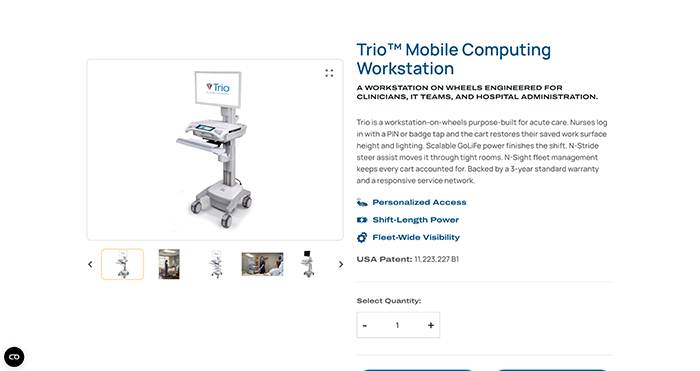 Documentation demands consume significant portions of clinical shifts. The Trio Computing Workstation eliminates the need to return to stationary computers for electronic health record data entry. This mobile workstation brings computing power directly to the point of activity, reducing time spent walking between patient locations and desk stations.
Studies show mobile workstations can improve note completion and clinician satisfaction by enabling real-time documentation. The Trio features adjustable height settings and a compact footprint, ideal for navigating tight spaces while maintaining workspace stability.
Key Features
- Adjustable height settings: Accommodate different user preferences and ergonomic requirements throughout the facility.
- Compact footprint: Navigate tight spaces between equipment and furniture without compromising workspace stability.
- Integrated power management: Support extended documentation sessions without interruption.
3. Tryten P1 Monitor Cart
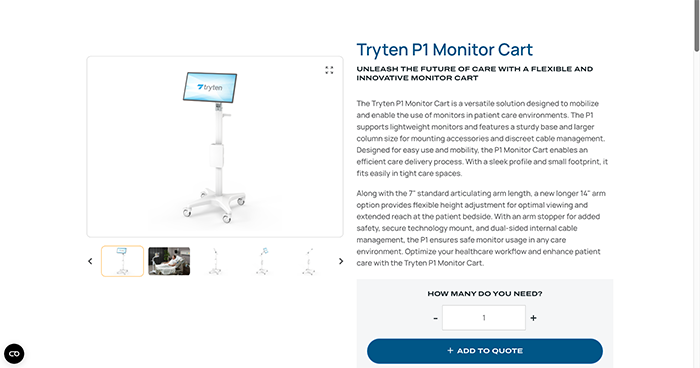
Visual communication requirements continue to expand in healthcare settings. The Tryten P1 Monitor Cart supports telehealth consultations and educational applications where screen stability matters. Its design emphasizes smooth maneuverability across various floor surfaces while maintaining monitor security. The cart accommodates different monitor sizes and includes cable management features to prevent tangling during movement between locations.
Key Features
- Universal monitor compatibility: Accommodate different screen sizes and mounting requirements for various applications.
- Smooth maneuverability: Roll across various floor surfaces while maintaining monitor security and stability.
- Cable management system: Prevent tangling during movement between locations and maintain organized connections.
4. MedLink Medication Management Cart
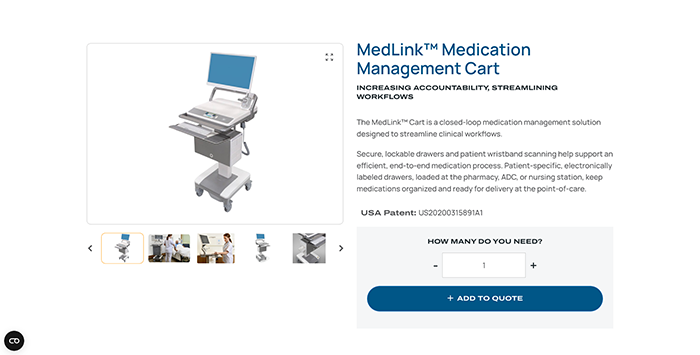
Medication administration workflows benefit from organized, mobile storage solutions. The MedLink Medication Management Cart supports closed-loop medication management systems by keeping necessary supplies accessible and organized. Efficient medication workflows can reduce delays and improve handoffs during shift transitions. The MedLink includes multiple drawer configurations and locking mechanisms to maintain medication security while enabling quick access during rounds.
Key Features
- Multiple drawer configurations: Organize medications and supplies according to facility-specific workflow requirements.
- Integrated locking mechanisms: Maintain medication security while enabling quick access during rounds.
- Durable construction: Withstand daily use across demanding healthcare environments.
5. Tryten S1 Tablet Cart
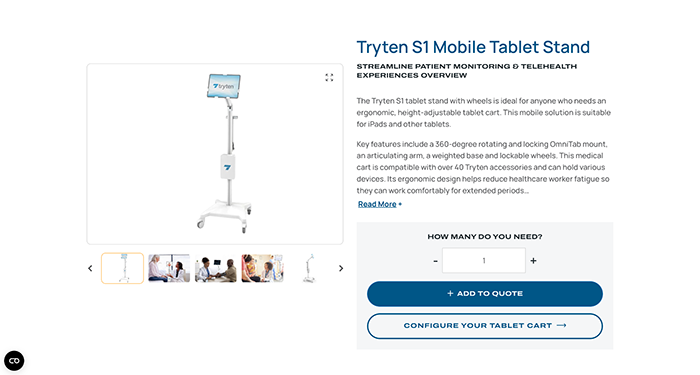
Quick data lookup and registration tasks require lightweight, flexible solutions. The Tryten S1 Tablet Cart offers a minimal footprint for environments with limited space. Its simple design focuses on tablet security and ease of movement, making it suitable for registration workflows and brief documentation tasks. The S1’s compact build allows it to fit through narrow doorways and be stored in small spaces when not in use.
Key Features
- Compact design: Fit through narrow doorways and store in small spaces when not in use.
- Secure tablet mounting: Keep devices protected while enabling quick removal when needed.
- Lightweight construction: Move easily between locations without physical strain.
6. T7 Powered Mobile Technology Cart
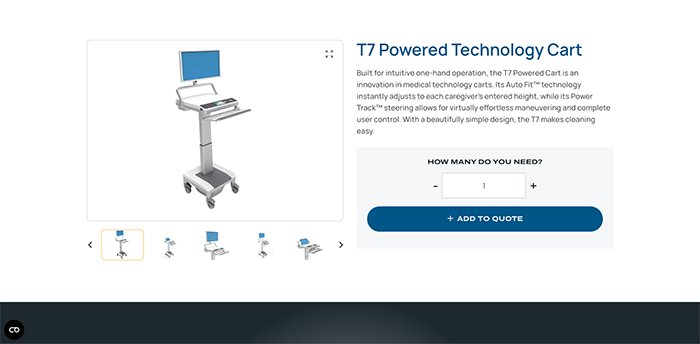
Power-intensive devices require consistent energy throughout long shifts. The T7 Powered Mobile Technology Cart includes onboard battery systems that eliminate the need to locate wall outlets or swap devices mid-shift. This powered solution ensures computers, monitors, and charging stations remain operational during extended rounds. The T7’s power management system supports multiple devices simultaneously while keeping cart weight manageable for easy movement.
Key Features
- Onboard battery system: Provide continuous power throughout entire shifts without outlet dependence.
- Multiple device support: Charge computers, monitors, and peripheral devices simultaneously.
- Manageable cart weight: Maintain ease of movement despite power system integration.
Frequently Asked Questions About Medical Carts
Here are some answers to frequently asked questions about medical carts
What’s the difference between powered and non-powered carts?
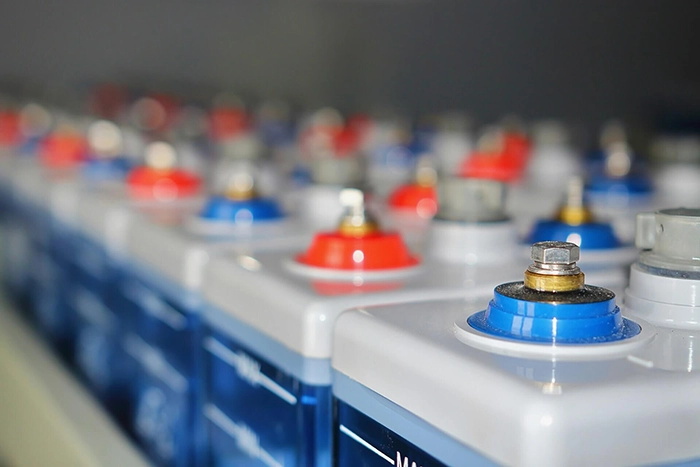
Powered carts include onboard battery systems that provide continuous power to devices throughout a shift, eliminating the need to locate outlets or swap equipment. Non-powered carts focus on ergonomic design and maneuverability without built-in power sources, making them lighter and simpler for tasks where devices don’t require constant charging.
How do you choose a cart based on the department’s primary tasks?

Match the cart type to your workflow requirements. Documentation-heavy departments benefit from computing workstations like the Trio. Departments using visual communication tools need monitor carts like the Tryten P1. Medication administration workflows require organized storage solutions like the MedLink. Quick registration or lookup tasks work well with lightweight tablet carts.
Can medical carts help reduce staff injuries?

Ergonomically designed carts reduce physical strain by bringing tools and technology to staff rather than requiring repeated trips to stationary workstations. Adjustable height features, smooth-rolling casters, and lightweight construction minimize the physical demands of moving equipment throughout a facility.
Making the Right Choice for Your Clinical Workflow
Selecting the right medical cart represents a strategic decision that directly impacts clinician efficiency, physical well-being, and organizational effectiveness. The best hospital cart on wheels depends on your specific clinical tasks, space constraints, and power requirements. Evaluate your department’s primary workflows to identify which cart type aligns with your operational needs.